
Guides
GhostLock Guides
Setup walkthroughs, alarm tuning, troubleshooting, and honest breakdowns, all tested on real phones. Start with the install guide if the app is new to you, then tune each alarm to your routine: motion for desks and nightstands, anti-pickpocket for commutes, charger alerts for public outlets, and geo-fencing for home and office. The troubleshooting guides fix the problems readers actually hit, in the order to check them, and the safety and permissions breakdowns explain exactly what the app can access and why.

How to Install the APK on Android: Step by Step
Install the app on any Android phone in minutes. This guide covers the download, the two guard permissions, and switching on your first alarm.
Read guide
Is the App Safe? An Honest Breakdown
Is the app safe? We audited its permissions, scanned the APK, and tested what data leaves the phone. Here is the honest breakdown.
Read guide
Motion Alarm Setup: Tune It Right
Set up the motion alarm so a lifted phone screams and a pocketed phone stays quiet. Sensitivity, placement, and testing explained.
Read guide
Anti-Pickpocket Mode: How It Works
How anti-pickpocket mode detects a phone sliding out of a pocket and turns a stealth theft into a public scene.
Read guide
Charger Removal Alert: Never Lose a Charging Phone
How the charger removal alert guards your phone at public outlets, offices, and airports, and how to set it up.
Read guide
Intruder Selfie: Catch Who Touched Your Phone
How the app photographs anyone who fails your unlock code, where the photos go, and how to use them.
Read guide
Geo-Fencing: Set Up Safe Zones That Actually Work
How to set up safe zones for home and office, and the settings that make geo-fence alerts reliable.
Read guide
SIM Change Detection Explained
Why thieves swap SIM cards first, and how SIM change detection catches the oldest trick in the book.
Read guide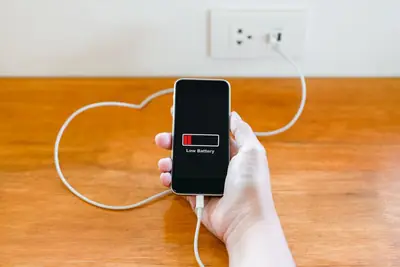
Battery Usage: What Our 24-Hour Tests Show
We ran the guard for full 24-hour cycles on five phones. Here is the real battery cost, feature by feature.
Read guide
Alarm Not Working? 7 Fixes That Help
Alarm not sounding? Work through these seven fixes in order: battery optimization, permissions, sensors, and settings.
Read guide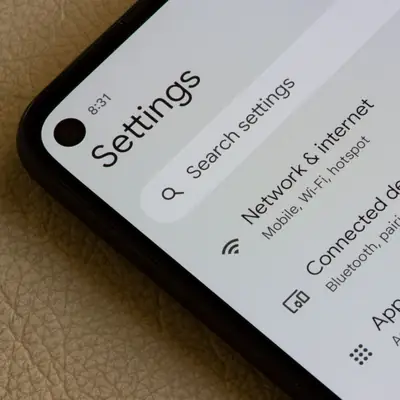
Permissions Explained: Why Each One Exists
Every permission, translated: what it does, why the alarms need it, and what breaks if you deny it.
Read guide
GhostLock vs Other Anti-Theft Apps: An Honest Comparison
Motion alarms, tracking suites, and built-in find-my-device, compared on what actually stops theft.
Read guide
Traveler Setup: Guard Your Phone on the Road
The traveler setup: airports, hotels, hostels, and crowded streets, with the alarms that matter most abroad.
Read guide
Siren Test: How Loud Is Loud, Really
We triggered the siren in five real environments to find out whether it actually deters. The results surprised us.
Read guide
Old Versions: Download Archive
Looking for a previous release? When old versions make sense, what you lose, and where to get the current verified build.
Read guide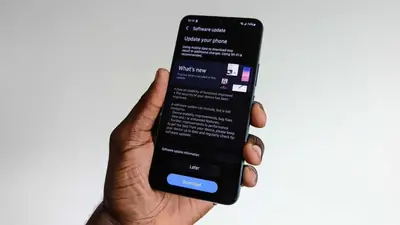
How to Update Without Losing Settings
Update to the newest version while keeping your alarms, safe zones, and disarm code intact. The safe update path explained.
Read guide
Power-Off Protection: Stop Thieves Cold
How the app blocks unauthorized shutdowns and network toggles, and why that closes the thief's favorite escape hatch.
Read guide